

When you’re thinking of buying a new laptop, you might go to the most popular shop in your hometown and get whatever the salesman suggests. And while that strategy may work out for you, it isn’t always the most sensible one. Allow me to explain why that’s the case and the things you should know to make the right purchasing decision.
The Retail Trap: Why You Shouldn’t Rely on Laptop Salesmen
From your viewpoint, when you go to your town’s most popular shop, you feel that since this establishment has done right by most, the same would apply to you. Therefore, you feel an invisible guarantee of trust, even if you buy a machine at a relatively higher price. And, while you might not be wrong in thinking that, the salesman often has a completely different priority.
See, when you enter the shop, your focus is entirely on buying the best possible product. The salesman, however, likely earns different commissions for selling different models and brands. Therefore, he might drive you to buy a product he benefits from, not necessarily what’s best for you. Another aspect you might not pay much attention to is the price drops of previously released hardware.
Let’s say you are looking for a laptop within a specific budget today. A premium product that was launched last year might have dropped right into your price bracket. On paper, that older machine is the superior choice – but if the shop doesn’t have access to older stock, the salesman will try to move you away from it.
Once again, he will push you toward a weaker, newer model simply because it fits his priorities better. At this point, I must mention that not every salesman is out to get you. But, when spending your hard-earned money, it’s always better to be in control of your ship rather than handing someone else the wheel and hoping he makes the right decision for you.
How to Choose the Right Laptop for Your Needs
Discovering the right laptop for your needs is a multi-layered equation. Here’s how you can figure that out:
Identify Your Use Case (Office Work vs. Creative Work)
The first thing you should consider is how you actually plan to use your device. If you’re buying a laptop for basic web browsing or everyday office tasks, an Intel Core i3 or AMD Ryzen 3 processor will handle your workload perfectly. However, if your daily routine revolves around intensive tasks like video editing or gaming, you should look toward an i5/Ryzen 5 or i7/Ryzen 7 with a dedicated graphics card.
Decoding Laptop CPU Specs: Generation vs. Tiers
This is where laptop shopping gets a little tricky. When you search for a laptop by its processor series,say an i5, you will find options at different price points. Because not every i5 is equally powerful. A processor’s generation heavily dictates its raw strength. For instance, a newer 14th-generation i3 processor can easily outperform a 10th-generation i5 processor.
To understand exactly what you’re buying, you need to look at the full model name, such as the Intel Core i5-1235U. The first two digits after the hyphen (“12”) identify it as a 12th-generation chip. However, if you ever get confused while comparing different laptops, resources like NanoReview Laptop Compare Tool and NotebookCheck Device Comparison Tool come in real handy.
Intel and AMD Processor Suffixes Explained (U vs. H vs. HX)
The letter at the end of the processor name tells a much bigger story than people realize. The suffix reveals whether the laptop is built for marathon battery life or heavy-duty tasks.
U (Ultra-low Power): Prioritizes battery life over processing abilities. Ideal for students or professionals on the move.
G (Graphics Optimized): Found on slightly older or budget-focused chips, indicating improved graphics over standard baseline models for light creative work.
HS (High Performance Slim): Designed to deliver performance almost equal to their H series siblings but designed to run efficiently inside thin, lightweight gaming or creator laptops.
H (High Performance): The mainstream sweet spot for power; balancing heavy workloads with standard mobile thermals.
HX (Highest Performance): The absolute top of the food chain if you are looking for raw processing power suitable for hardcore gaming and production.
Laptop Form Factor, Cooling Pads, and Airflow Dynamics
Compared to their U series counterparts, H and HX series laptops are often bulkier, offer shorter battery life and run significantly hotter. Therefore, if you opt for a high performance machine, it’s advisable to use it on a hard, flat surface, like a desk, preferably with a dedicated laptop cooling pad. Additionally, avoid using it on beds or blankets, as it restricts airflow and risks overheating your hardware.
RAM and SSD Requirements in 2026
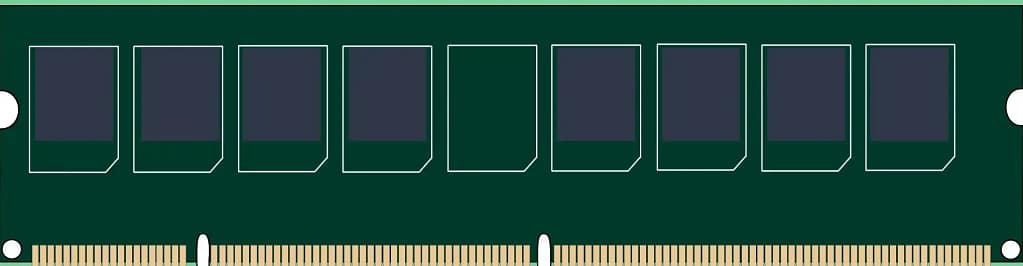
With the prices of RAM increasing due to the AI boom and software becoming increasingly resource-hungry, having adequate RAM is critical to your machine’s smoothness. In 2026, it is highly recommended to have at least 16 GB of RAM. If you don’t want to deal with the unusually high pricing, look for a machine that features upgradeable SO-DIMM slots, so you can add more later. However, do note that many modern thin laptops solder the RAM directly to the motherboard, meaning you get stuck with what you buy.
Similar is the situation with drives. If your laptop uses M.2 NVMe SSDs, you are in the best position, as it remains the fastest option available in 2026. While mechanical hard drives (HDDs) used to be an inexpensive option for bulk storage, modern laptops have dropped them entirely to save space. If you need extra storage, you will have to look for a laptop with a secondary M.2 SSD or use an external drive.
A word of caution, though; don’t just assume that if you’re opting for a premium device, it will have everything your old laptop featured and more. Look at laptops as their own thing, not as an evolution of their lesser-priced siblings.
Graphics Card Performance
Understanding the graphics card performance might seem straightforward, but it’s actually more complex than it looks. First of all, the two main manufacturers in the laptop graphics card segment are NVIDIA (GeForce RTX) and AMD (Radeon).
Understanding AMD Laptop GPU Naming Style
Take the example of AMD Radeon RX 7700S. It belongs to the 7th generation, identified by the first number (here, 7). The second digit (here, also 7) identifies the primary performance tier; the higher the number, the better it will be.
Now, coming to the last two digits (00, in this case), it provides additional context. The 00 indicates the foundation card of that category. In case you find a 30, 50 or 70 at the end, it means that the card uses the same architecture, but it has been factory overclocked, given extra processing cores, or given faster video memory.
Apart from these, you need to pay attention to whether the graphics card has three numbers or four. If it features three numbers, say Radeon 780M, then it means that the laptop has integrated graphics. In the integrated graphics scene, you don’t worry about a dedicated graphics card in place, be it AMD or Intel.
Then, your care should be limited to the processor, its performance tier, generation, and so on, as previously mentioned. So, whether you opt for an Intel or AMD-powered machine, the newer chips will feature higher numbers and better graphics than the older chips.
But, if the graphics card has four numbers, say RX 7700S, it indicates a dedicated graphics card. Just like processors, the suffix is of critical importance here. The hierarchy in this context is as follows:
S (Slim): Delivers better performance than integrated but is highly power-capped to preserve battery life and keep ultra-thin laptops cool.
M (Mobile): It delivers standard optimal performance in traditional all-around laptops, balancing power and thermals.
M XT (Mobile Extreme): These features have more performance cores, are factory overclocked and built for delivering extreme performance.
Decoding NVIDIA RTX Generations (RTX 40-Series vs. 50-Series)
The NVIDIA laptop graphics cards follow different guidelines. Take the example of NVIDIA RTX 5060. The first two indicate the architectural generation and how recent or old the graphical technology is.
30-Series (e.g., RTX 3060): Built on the older Ampere architecture.
40-Series (e.g., RTX 4060): Belongs to the newer Ada Lovelace architecture.
50-Series (e.g., RTX 5060): Currently, the latest and most modern architecture generation in 2026.
Just like processors, a newer generation is more efficient than previous ones. Now, the last two digits reveal the performance tier. Here’s how the hierarchy goes:
50: Ex-RTX 4050 indicates entry-level or budget graphics cards made for casual gaming. Relatively affordable but struggles with demanding titles.
60: Ex- RTX 4060, The mainstream sweet spot and easily handles any modern games at 1080p/1440p and delivers the best performance relative to price.
70: Ex-RTX 4070. These graphics cards are built for high-end performance, translating to higher resolutions and faster refresh rates.
80 and 90: Ex- RTX 4080/4090: These are the absolute elite tier graphic cards meant for extremely heavy workloads like 4K gaming and 3D rendering.
Additionally, some NVIDIA laptop GPUs might have Ti suffix in their name, such as RTX 5070 Ti (Titanium). You won’t find a generational upgrade in Ti cards over their base ones (for example, RTX 5070 Ti vs RTX 5070), but the difference will still be noticeable.

Laptop VRAM Requirements in 2026: How Much Video Memory Do You Need?
If you’re wondering what this is, VRAM (or Video RAM) is the memory that is built into the laptop’s GPU. This, among others, helps in preventing stuttering and game crashes. Now, here are your options:
6GB or less: Not recommended in 2026, as graphics cards with 6GB VRAM or less come under strictly budget territory. This will work for casual gaming, but will struggle on modern heavy titles.
8GB VRAM: It is the modern baseline in 2026, which will work well for 1080p gaming and standard video editing.
12GB VRAM or more: This is ideally what you should get if you’re planning to use your laptop for multiple years. Will handle heavy modern games and 4K video editing seamlessly for the next few years.
One more tip: When searching for a high-performing laptop, one that includes a MUX switch can be advantageous. That’s because it allows GPUs to communicate directly to the screen, which can give a 5-10% performance boost in demanding games.
Other Important Things to Consider
That was it for the major factors you need to consider while buying a new laptop. However, we will now dive into details that might be relatively less important, but might still impact your overall experience.
Screen Real Estate vs Device Weight
If you’re used to a laptop with a certain screen size, moving to a different one will take some getting used to. In my personal experience, I have felt that it’s particularly painful when you move downwards. When I moved from a 15.4-inch screen to a 12.5-inch one, the drop in screen real estate forced me to adopt an external monitor for heavier workloads.
However, you might have a different experience. Similarly, lighter laptops score high in portability. When I shifted from a laptop weighing 2.18 kg to a 1.18 kg one, the difference didn’t seem much, but when you carry it in your backpack, it feels significantly easier.
OS Choice and Advantages: Windows vs Linux
Installing an OS of your choice might not be a big deal, but getting a legitimate lifetime Windows license is a pretty sweet deal. Having such a laptop keeps resale options high, if you ever decide to sell it. On the contrary, you might find DOS or Linux-based laptops at a discount in some markets. If you are not a fan of Linux, installing Windows is a straightforward task.
In this context, it deserves to be mentioned here that some shops might try to charge you extra for installing Windows. Do not fall for it. Installing Windows is quite simple, provided you have access to a Pen Drive, a spare laptop, the Internet, and relevant YouTube tutorials.
Hardware Longevity: Upgradeability vs. Soldered Components

In modern times, manufacturers have been increasingly soldering components to the motherboard to make devices thinner. Check if the laptop you’re buying features additional slots or use desoldered components. If the answer is no, you’ll be stuck with what you buy.
This has especially become an important matter of late, due to expensive RAM pricing in 2026. While RAM of all capacities have gotten more expensive, adding a 4GB or 8GB RAM still feels much more manageable than replacing a 16GB or 32GB altogether.
The Retail Freebie Trap: Free Accessories vs. Direct Store Discounts
Sometimes, it may happen that shops might offer you gifts like a keyboard, mouse, mousepad, and cleaning liquid when you purchase a laptop. However, in my personal experience, I have noticed that these products are often of subpar quality except for the cleaning material and don’t last for long either ways. If you get a similar feeling while seeing the products, it’s better to give up those in exchange for more discounts.
The Counter Stress Test: Checking Build Quality and Wobbling
If you’re lucky enough to physically inspect the laptop, try to press your thumbs a little firmly on either side of the mousepad. If it flexes considerably, it means the built quality is a little shaky. If you still choose to go with such a device, try to use it gently.
Next, keep the laptop on a solid flat surface and try typing a little aggressively. That will help you understand the wobbling you might face on a daily basis and if you need to look at other options.
Secondary Considerations: Native I/O Ports and External USB Hubs
While not deal breakers, due to the availability of USB hubs and external keyboards, the number of ports and the typing experience can be make or break for some.
Final Verdict: How to View a Laptop Purchase
Selecting the right laptop is more complicated than it looks. When assessing the power of a laptop, it’s important to look at things beyond the performance tier, like processors and graphics card generation suffixes.
Additionally, don’t make the mistake of assuming that a premium price tag guarantees a flawless experience across every single metric. Instead, evaluate every single laptop as a distinct engineering project- not merely as an evolution of its cheaper sibling.
Leave a Reply